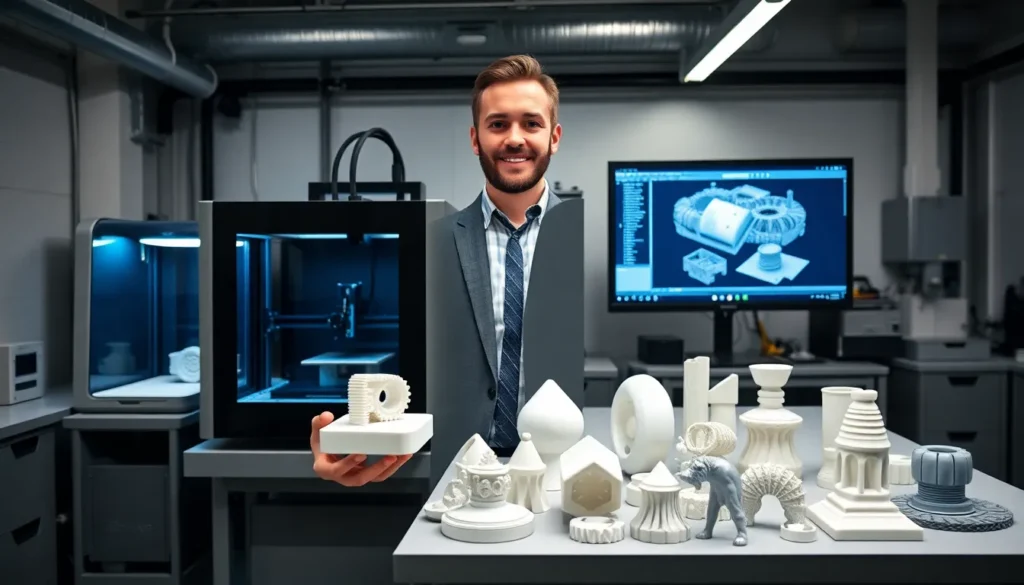
Learning how to 3D print opens up a world of creative possibilities. From custom phone cases to replacement parts for household items, 3D printing lets anyone turn digital designs into physical objects. The technology has become more accessible than ever, with affordable printers now available for home use.
This guide breaks down everything beginners need to know about 3D printing. It covers the basic concepts, printer selection, required materials, and the step-by-step process to create a first print. By the end, readers will have a clear path forward to start their 3D printing journey.
Table of Contents
ToggleKey Takeaways
- Learning how to 3D print starts with understanding the layer-by-layer additive manufacturing process and choosing between FDM or resin printing methods.
- Beginner-friendly FDM printers in the $250-400 range offer the best value, with models like Creality Ender 3 and Anycubic Kobra being popular choices.
- PLA filament is the ideal starting material for beginners due to its low printing temperature, minimal warping, and ease of use.
- Free slicing software like Cura or PrusaSlicer converts 3D models into printable instructions, while sites like Thingiverse offer thousands of ready-to-print designs.
- Proper bed leveling and moderate print speeds are essential for successful first prints—skipping these steps causes most beginner failures.
- Store filament in sealed containers with desiccant and maintain your printer regularly to ensure consistent, high-quality results.
Understanding the Basics of 3D Printing
3D printing creates solid objects from digital files. The process builds items layer by layer, which is why it’s also called additive manufacturing. Unlike traditional methods that cut material away, 3D printing adds material only where needed.
The most common type of 3D printing for beginners is Fused Deposition Modeling (FDM). FDM printers heat plastic filament and push it through a nozzle. The nozzle moves along programmed paths, depositing thin layers of melted plastic. Each layer cools and bonds to the one below it.
Another popular method is resin printing (SLA/MSLA). These printers use UV light to harden liquid resin into solid shapes. Resin printers produce finer details than FDM machines but require more post-processing work.
Here’s what happens during a typical 3D print:
- A digital 3D model is created or downloaded
- Slicing software converts the model into printer instructions
- The printer reads these instructions and builds the object
- The finished print is removed and cleaned up
Understanding how to 3D print starts with grasping this basic workflow. The technology isn’t magic, it’s a straightforward process that anyone can learn with practice.
Choosing Your First 3D Printer
Selecting the right 3D printer matters for beginners. The wrong choice can lead to frustration and wasted money. Several factors determine which printer fits best.
Budget sets the initial boundaries. Entry-level FDM printers start around $200-300. Models like the Creality Ender 3 series and Anycubic Kobra have earned strong reputations among beginners. They offer decent print quality without very costly.
Build volume determines how large objects can be printed. Most budget printers offer around 220mm x 220mm x 250mm of space. That’s enough for most hobby projects. Larger build volumes cost more money.
Print quality depends on several factors. Layer height capability, frame stability, and hotend design all play roles. Look for printers with good reviews mentioning consistent results out of the box.
Ease of use matters especially for first-time users. Some printers come pre-assembled. Others require hours of setup. Auto-bed leveling features save time and reduce failed prints. Beginners should prioritize printers with active online communities, help is always available when problems arise.
Key questions to ask before buying:
- What do I want to print?
- How much space do I have?
- Am I comfortable with some assembly?
- What’s my total budget including materials?
For most beginners learning how to 3D print, an FDM printer in the $250-400 range offers the best value. These machines provide reliable performance while leaving room to grow.
Essential Materials and Software You Need
Beyond the printer itself, 3D printing requires specific materials and software. Having the right supplies makes the difference between success and frustration.
Filament Materials
PLA (Polylactic Acid) is the go-to material for beginners. It prints at lower temperatures, doesn’t warp easily, and produces minimal odors. PLA works great for decorative items, prototypes, and general-purpose prints.
PETG offers more durability than PLA. It handles heat better and resists impact. PETG requires slightly higher print temperatures but remains beginner-friendly.
ABS provides strength and heat resistance but needs an enclosed printer and good ventilation. Most beginners skip ABS until they gain more experience.
A 1kg spool of quality PLA costs between $15-25. That’s enough material for dozens of small prints.
Software Tools
Slicing software converts 3D models into printer instructions. Popular free options include:
- Cura – Widely used, lots of online support
- PrusaSlicer – Excellent features, works with most printers
- Bambu Studio – Clean interface, good for beginners
3D modeling software creates original designs. Tinkercad offers a free, browser-based option perfect for beginners. Fusion 360 provides more advanced capabilities with a free hobbyist license.
Model repositories provide ready-to-print files. Thingiverse, Printables, and MyMiniFactory host thousands of free designs. Beginners can start printing immediately by downloading existing models.
Having these materials and tools ready ensures the first 3D printing experience goes smoothly.
Step-by-Step Process for Your First Print
Learning how to 3D print becomes clearer with a structured approach. Follow these steps for a successful first print.
Step 1: Set Up the Printer
Assemble the printer according to manufacturer instructions. Level the print bed, this ensures the first layer adheres properly. Most printers include a leveling procedure in their setup menu.
Step 2: Download a Test Model
Start with something simple. A calibration cube or a small benchy boat makes an ideal first print. These models test basic printer functions without wasting material.
Step 3: Slice the Model
Open the slicing software and import the 3D model file (usually .STL format). Select the correct printer profile. For a first print, use these settings:
- Layer height: 0.2mm
- Infill: 20%
- Print speed: 50mm/s
- Supports: Only if needed
Click “Slice” to generate the G-code file. Save it to an SD card or send it directly to the printer.
Step 4: Prepare and Start Printing
Load filament into the printer. Heat the nozzle and push filament through until it flows smoothly. Apply a thin layer of glue stick to the print bed if adhesion is a concern.
Start the print and watch the first few layers closely. The first layer should stick firmly and look consistent.
Step 5: Monitor and Remove
Check progress periodically. Most simple prints take 1-4 hours. Once complete, let the bed cool before removing the print. A flexible bed plate makes removal easier.
Congratulations, that’s a completed first 3D print.
Common Mistakes to Avoid
New 3D printing enthusiasts often make similar errors. Knowing these pitfalls helps avoid wasted time and materials.
Skipping bed leveling causes most first-print failures. An uneven bed means the first layer won’t stick. Some areas get squished while others barely touch the surface. Check leveling before every print until consistency improves.
Printing too fast leads to poor quality. Beginners often crank up speeds to save time. This causes layer adhesion issues, stringing, and dimensional inaccuracies. Stick to moderate speeds until technique improves.
Using wrong temperatures creates problems. Each filament type has optimal temperature ranges. PLA typically prints at 190-220°C with a bed temperature of 50-60°C. Check filament packaging for specific recommendations.
Ignoring moisture ruins filament quality. Filament absorbs water from air over time. Wet filament pops, bubbles, and prints poorly. Store filament in sealed containers with desiccant.
Starting with complex models invites frustration. Intricate designs with overhangs and fine details challenge even experienced users. Master simple shapes before attempting difficult projects.
Neglecting maintenance shortens printer life. Clean the nozzle regularly. Check belt tension. Lubricate moving parts as recommended. A well-maintained printer produces better results.
Avoiding these mistakes makes learning how to 3D print much smoother. Most problems have simple solutions once identified.