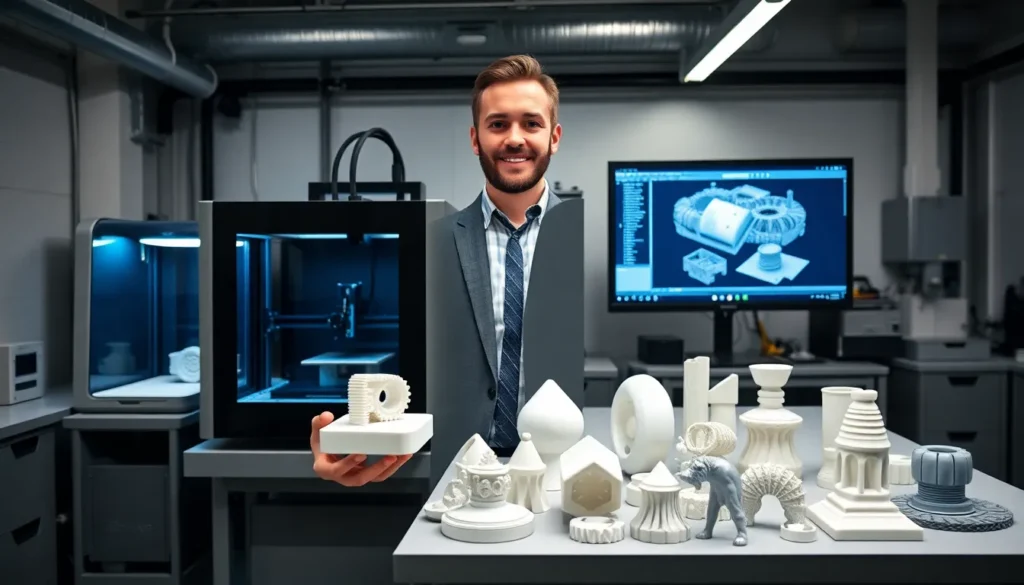
3D printing tools separate frustrating print sessions from successful builds. Anyone who has tried to pry a stubborn print off a bed or fix a clogged nozzle without the right equipment knows this truth firsthand. The printer itself is just the beginning. Success depends on having the correct tools for preparation, removal, finishing, maintenance, and safety.
This guide covers the essential 3D printing tools that every maker should have in their workspace. Whether someone is setting up their first printer or upgrading an existing toolkit, these items will improve print quality and make the entire process smoother.
Table of Contents
ToggleKey Takeaways
- Essential 3D printing tools fall into five categories: preparation, removal, finishing, maintenance, and safety equipment.
- Digital calipers and slicing software are must-have preparation tools that help ensure accurate prints from the start.
- Scrapers, flush cutters, and sandpaper transform raw prints into polished final products during post-processing.
- Regular maintenance with hex keys, nozzle cleaning kits, and lubricants keeps your 3D printer producing consistent, high-quality results.
- Safety gear including ventilation, heat-resistant gloves, and a fire extinguisher protects you from common 3D printing hazards.
- Proper filament storage in dry boxes prevents moisture damage that causes stringing and weak layer adhesion.
Preparation and Design Tools
Good prints start long before the filament heats up. Preparation and design tools help makers create, modify, and optimize their 3D models for successful printing.
Slicing Software
Slicing software converts 3D models into printer instructions. Popular options include Cura, PrusaSlicer, and Simplify3D. Each offers different features for controlling layer height, infill patterns, support structures, and print speed. Free slicers work well for most users, though paid versions offer advanced features.
Digital Calipers
Digital calipers measure parts with precision down to 0.01mm. They help verify model dimensions, check filament diameter, and measure existing objects for replication. A quality pair of digital calipers costs between $15 and $50 and proves useful for nearly every print project.
CAD Software
Computer-aided design (CAD) software allows makers to create original models. Fusion 360, TinkerCAD, and Blender each serve different skill levels and purposes. TinkerCAD works great for beginners, while Fusion 360 handles complex mechanical designs.
Build Surface Preparation
Adhesion products keep prints stuck to the bed during printing. Common 3D printing tools for this purpose include glue sticks, hairspray, painter’s tape, and specialized adhesion sheets. PEI sheets and glass beds with proper preparation reduce the need for additional adhesives.
Filament Storage
Dry boxes and vacuum-sealed containers protect filament from moisture. Wet filament causes poor print quality, stringing, and weak layer adhesion. Desiccant packs and filament dryers restore moisture-damaged material to usable condition.
Print Removal and Post-Processing Tools
Once a print finishes, the work continues. Removal and post-processing 3D printing tools transform raw prints into polished final products.
Scrapers and Spatulas
Flexible metal scrapers lift prints from build plates without damaging either the print or the surface. A thin, sharp-edged spatula slides under print edges effectively. Some makers prefer dedicated 3D printing spatulas with angled blades designed for this specific task.
Flush Cutters and Snips
Flush cutters remove support material cleanly. These tools cut close to the print surface without leaving stubs. Quality flush cutters make quick work of support removal and produce cleaner results than twisting or pulling supports by hand.
Deburring Tools
Deburring tools clean up rough edges and remove small imperfections. A simple deburring blade handles most PLA and PETG finishing tasks. Rotary deburring tools work faster on larger prints or production batches.
Sandpaper and Files
Various grits of sandpaper smooth layer lines and surface imperfections. Start with 120-grit for heavy material removal and progress through 220, 400, and 600-grit for finer finishes. Needle files reach into tight corners and small details where sandpaper cannot fit.
Heat Gun
A heat gun softens printed parts for bending or warping correction. It also helps smooth surfaces on certain materials. Low-temperature settings prevent melting while still allowing adjustments. These 3D printing tools require careful handling to avoid burns or part damage.
Maintenance and Calibration Tools
Printers require regular maintenance to produce consistent results. These 3D printing tools keep machines running smoothly and accurately.
Hex Key Sets
Hex keys (Allen wrenches) tighten and adjust most printer components. Metric sizes from 1.5mm to 5mm cover the majority of 3D printer hardware. A ball-end hex key set allows access to bolts at awkward angles.
Nozzle Cleaning Kit
Clogged nozzles ruin prints. Acupuncture needles, cleaning filament, and brass wire brushes clear blockages effectively. Cold pulls (also called atomic pulls) remove stubborn debris from inside the hot end. Keep spare nozzles on hand for quick replacements.
Feeler Gauges
Feeler gauges set bed leveling distance precisely. A 0.1mm feeler gauge provides the standard gap between nozzle and bed for most printers. This simple tool eliminates guesswork from the leveling process.
Lubricants
PTFE-based dry lubricant keeps linear rails and lead screws moving smoothly. White lithium grease works well on Z-axis lead screws. Proper lubrication reduces noise, prevents wear, and maintains print accuracy. Apply lubricant every few months or when motion becomes rough.
Multimeter
A basic multimeter troubleshoots electrical issues. It checks thermistor readings, verifies power supply output, and tests heated bed connections. Even a $20 multimeter handles most diagnostic tasks that 3D printer owners encounter.
Safety Equipment for 3D Printing
3D printing involves heat, fumes, and sharp objects. Proper safety equipment protects makers from common hazards.
Ventilation
Printing produces ultrafine particles and volatile organic compounds. An enclosure with a HEPA filter and activated carbon reduces exposure. At minimum, print in a well-ventilated area or near an open window. Certain materials like ABS and resin require stronger ventilation measures.
Heat-Resistant Gloves
Hot ends reach temperatures above 200°C. Heat-resistant gloves protect hands during nozzle changes and hot end maintenance. Even brief contact with heated components causes serious burns. Silicone or Kevlar-based gloves provide adequate protection for most 3D printing tools and tasks.
Safety Glasses
Flying debris from support removal and trimming poses eye hazards. Safety glasses prevent injuries during post-processing. They also protect against chemical splashes when working with resins or finishing products.
Nitrile Gloves
Resin printing requires skin protection. Uncured resin causes irritation and allergic reactions. Nitrile gloves block resin contact during handling, cleaning, and post-curing. Replace gloves immediately if resin contacts the outer surface.
Fire Safety
Thermal runaway can cause printer fires. A smoke detector near the printing area provides early warning. Keep a fire extinguisher accessible, Class C extinguishers work for electrical fires. Never leave printers running unattended for extended periods without proper monitoring equipment.